
Close leads faster & get higher conversions
We’ve redesigned the system to help you act faster, stay organised, and close more bookings.
1. A Fresh New Look for “Purchased Leads Listing”
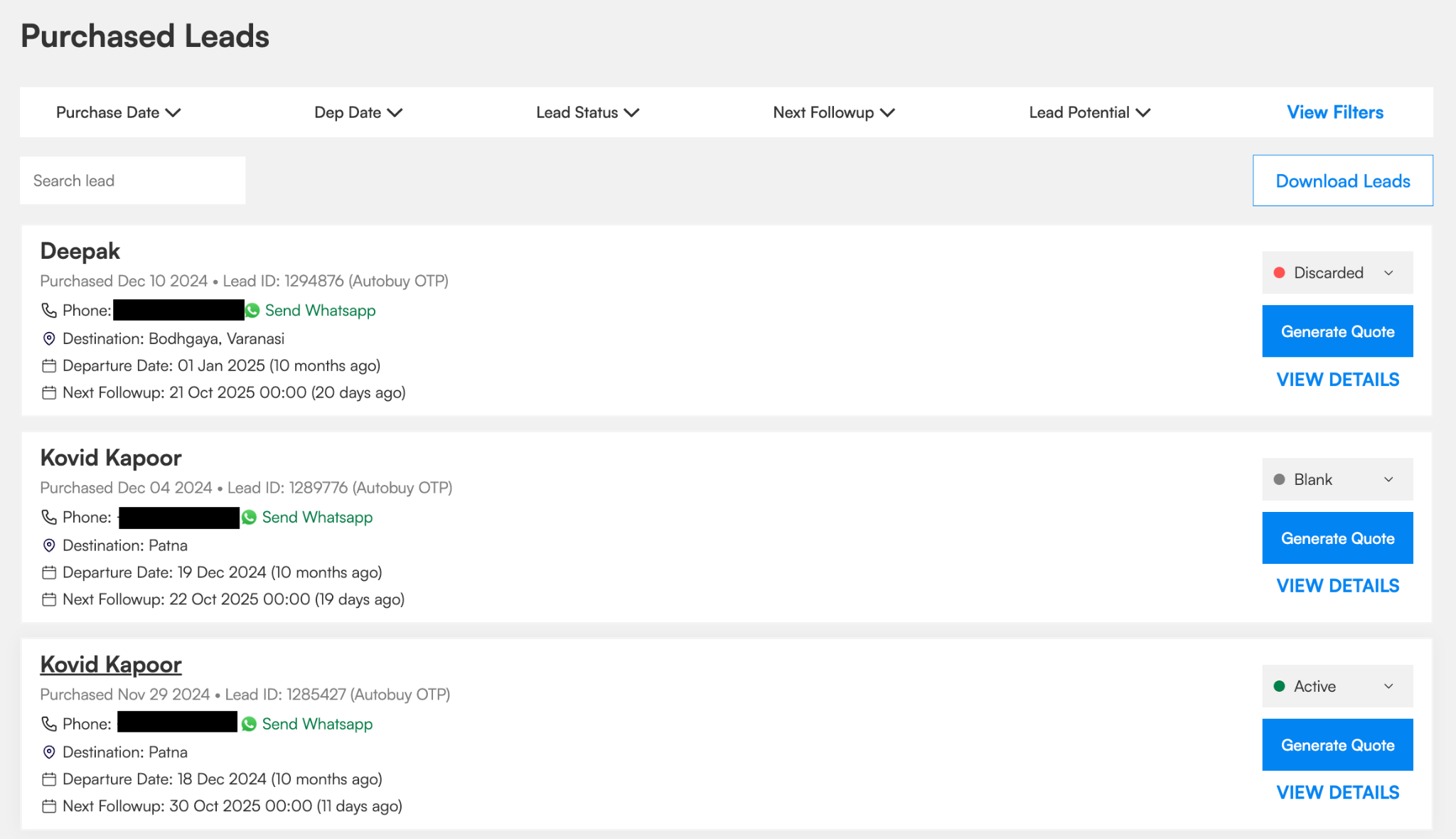
Your Purchased Leads page now shows key lead details upfront — traveler name, trip dates, destination, and the tour package the lead was generated from.
Right from the card, you can:
- View traveler contact details
- Send a WhatsApp message
- Update lead status
- Generate a quotation (if you’re enrolled in PaySecure)
- Check if a lead is assigned to a team member or if a next follow-up date is marked
Everything you need is now just one click away.
2. Smarter Filters to Find the Right Leads Instantly
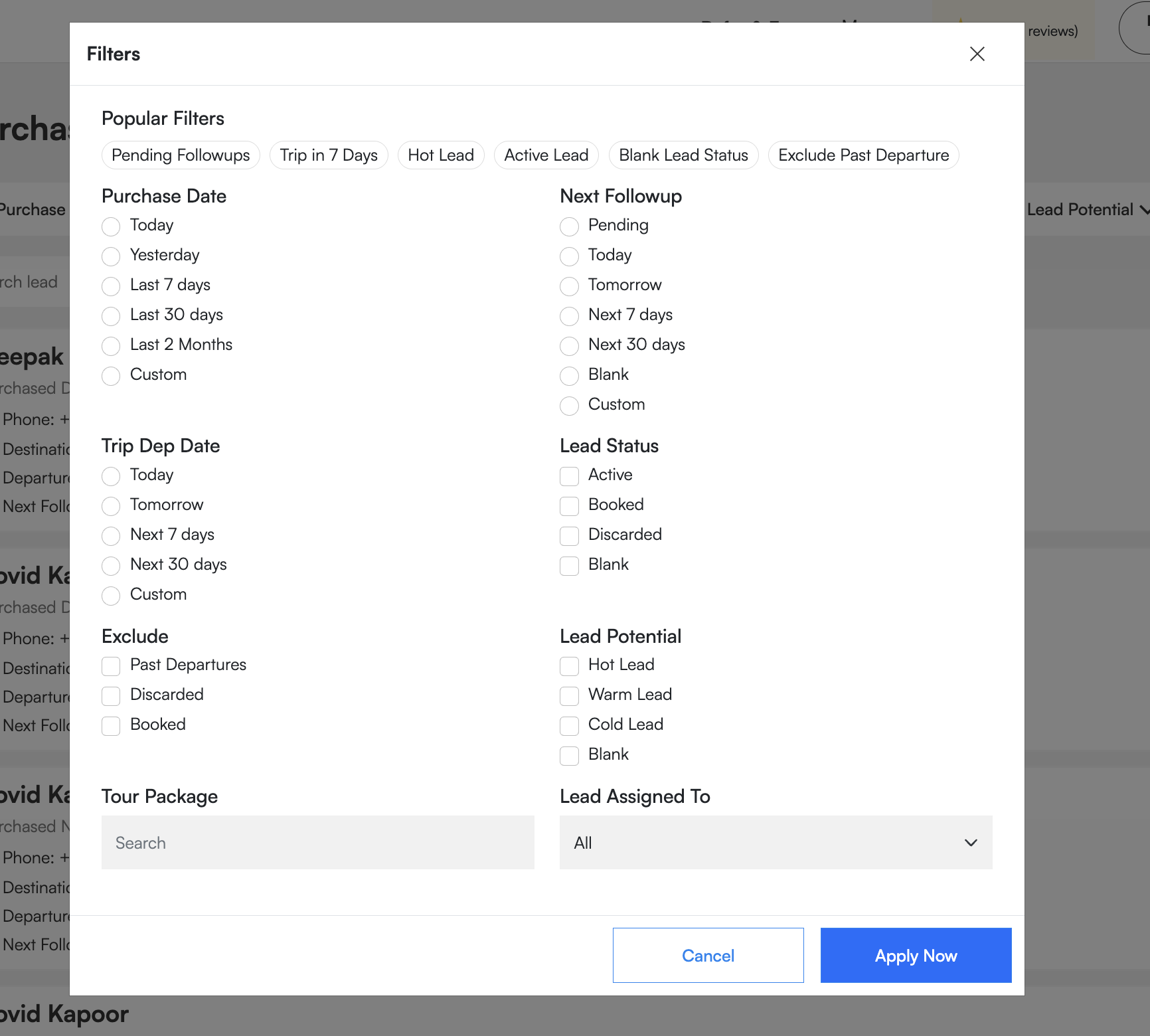
Find what you need instantly with the all-new filter system. You can now filter leads by:
- Destination
- Lead Status (Active, Booked, Discarded, Blank)
- Purchase Date (Today, Yesterday, Last 7 Days, Last 30 Days, etc.)
- Next Follow-Up (Today, Tomorrow, Next 7 Days, Next 30 Days, etc.)
- Trip Departure Date (Today, Tomorrow, Next 7 Days, Next 30 Days, etc.)
- Lead Potential (Hot, Warm, Cold, Blank)
- Assigned Team Member
- Exact Tour Package on which the lead was generated
These filters help you find the right leads fast and follow up at the right time.
3. Lead Purchased Detail Page
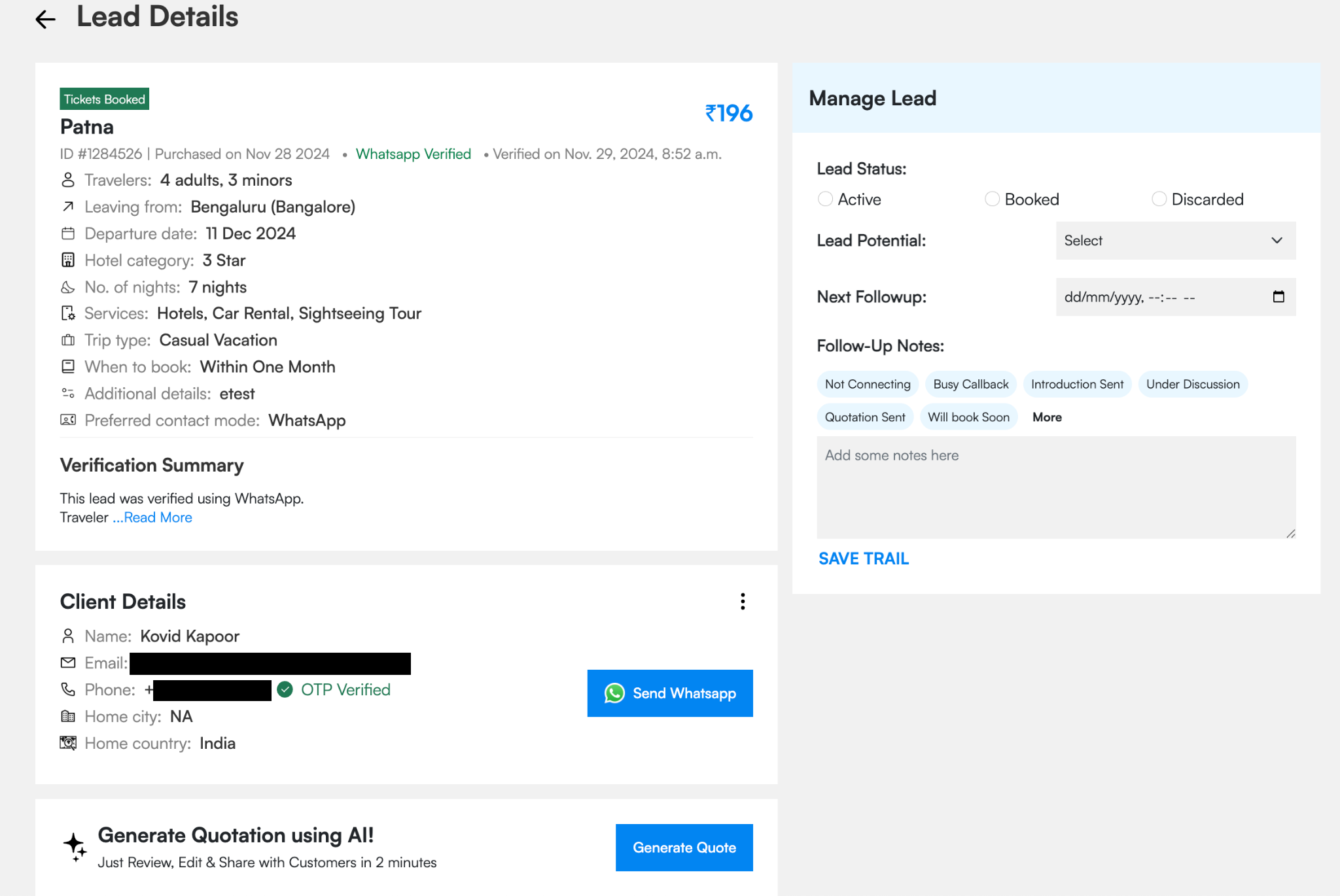
The new Manage Lead panel on the right-hand side puts everything you need in one place. You can:
- Update lead status or potential
- Add next follow-up date and time
- Write follow-up notes or update the lead trail
- View complete follow-up history
- Assign the lead to a team member
- Generate quotations (for PaySecure-enrolled agents)
Every action is streamlined so you can move faster and never lose track of a potential booking.
4. Assign Leads to Your Team
If you have multiple team members handling leads, assigning and tracking is now effortless.
Once assigned, your team can:
- Update follow-up trails
- Change lead status
- Add notes and reminders
You’ll always have full visibility into every action, so nothing slips through the cracks and every traveler gets a quick, professional response.
5. Stay on Top of Every Follow-Up
Add or edit next follow-up dates and notes directly from the lead panel, and use filters to view upcoming follow-ups for today, this week, or the entire month.
You’ll never miss a call, message, or opportunity again.
6. Built to Boost Conversions
With all lead details, team actions, filters, and reminders in one place, managing your pipeline has never been easier.
Respond faster, follow up smarter, and close more bookings.
This isn’t just a design refresh — it’s your new Lead Success System.
Try It Now
Log in to your TripCrafters Dashboard → Purchased Leads and explore the all-new experience.
Manage better. Respond faster. Grow your bookings.
.png)